
Google Sheets Template
Instant Access After Purchase
Monthly Budget Spreadsheet
A clean and easy-to-use monthly budget spreadsheet for Google Sheets. Track income, bills, expenses, savings, and extra debt payments with automatic calculations, charts, and a transaction tracker.
Ready to use
Start using the product immediately after purchase.
Professional design
Clean, structured, and easy to understand layout.
Digital delivery
Access the file or link from your buyer dashboard.
Product overview
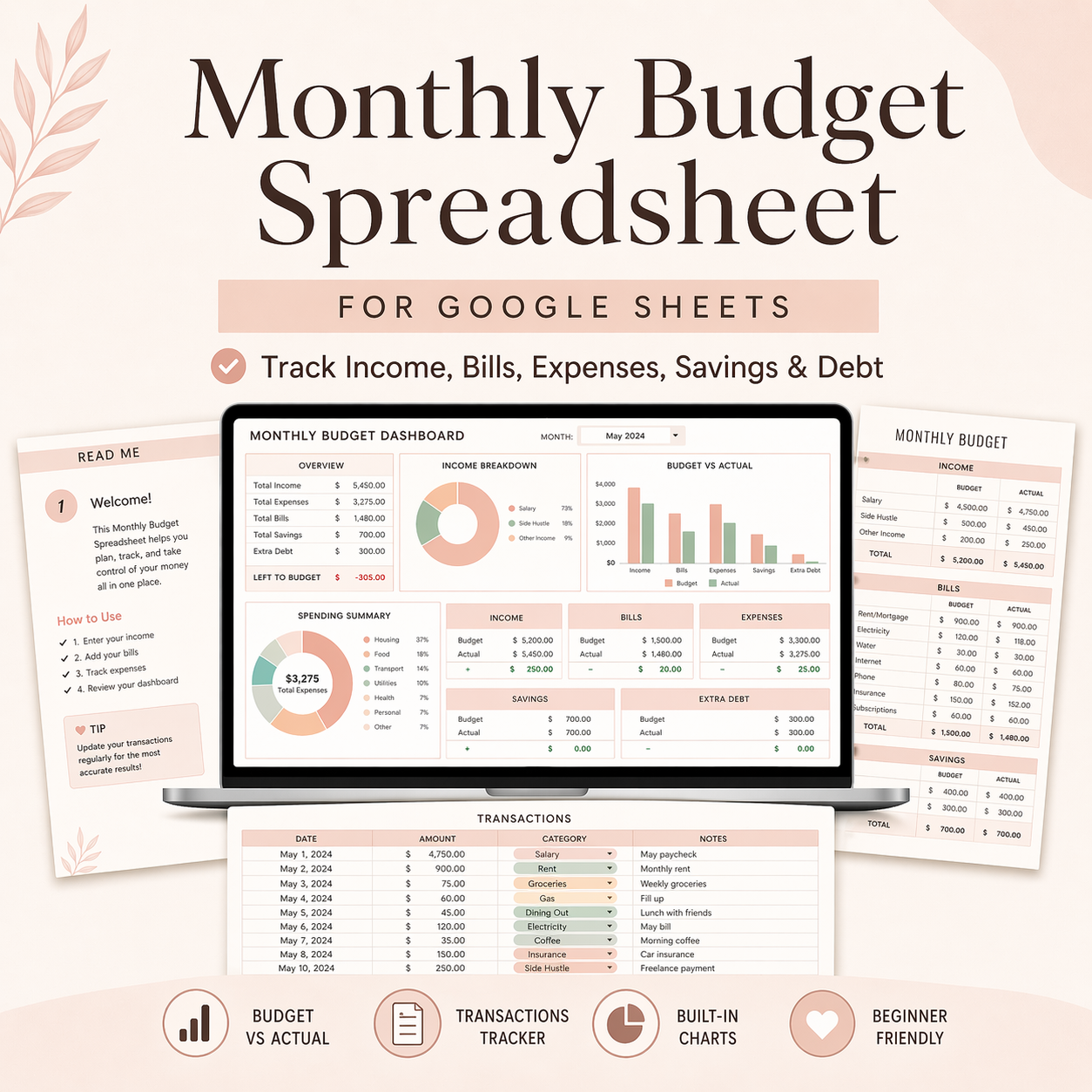
Take control of your finances with this Monthly Budget Spreadsheet for Google Sheets. This template is designed to help you easily manage your monthly budget by tracking your expected amounts, actual amounts, and daily expenses in one organized system.
The spreadsheet includes a main Monthly Budget tab for planning and reviewing your finances, a Transactions tab for entering day-to-day expenses, and a Read Me tab with step-by-step instructions.
You can track:
income
recurring bills
variable expenses
savings goals
extra debt payments
The template automatically calculates totals and summarizes your spending using built-in formulas. It also includes charts to help you visualize your monthly financial activity, making it perfect for personal budgeting and financial planning.
This template is ideal for beginners and anyone looking for a simple but effective monthly money management tool in Google Sheets.
What’s Included
1 Read Me instruction tab
1 Monthly Budget tab
1 Transactions tab
Automatic formulas
Built-in charts and summaries
Perfect For
personal budgeting
monthly money management
expense tracking
savings planning
debt payoff planning
beginners using Google Sheets
Delivery Format
PDF with Google Sheets access link
The spreadsheet includes a main Monthly Budget tab for planning and reviewing your finances, a Transactions tab for entering day-to-day expenses, and a Read Me tab with step-by-step instructions.
You can track:
income
recurring bills
variable expenses
savings goals
extra debt payments
The template automatically calculates totals and summarizes your spending using built-in formulas. It also includes charts to help you visualize your monthly financial activity, making it perfect for personal budgeting and financial planning.
This template is ideal for beginners and anyone looking for a simple but effective monthly money management tool in Google Sheets.
What’s Included
1 Read Me instruction tab
1 Monthly Budget tab
1 Transactions tab
Automatic formulas
Built-in charts and summaries
Perfect For
personal budgeting
monthly money management
expense tracking
savings planning
debt payoff planning
beginners using Google Sheets
Delivery Format
PDF with Google Sheets access link
Built for productivity
Designed to reduce repetitive work and help you complete tasks faster.
Clean structure
Easy to navigate, understand, and customize based on your requirement.
Professional output
Useful for reports, tracking, planning, analysis, or business operations.
Beginner friendly
You do not need advanced technical knowledge to start using it.
How it works
1
Review product details
Check the preview, description, and price before purchase.
2
Complete payment
Click Buy Now and finish your checkout securely.
3
Access your product
After successful payment, the product file or link becomes available.
Frequently asked questions
When will I get access?
You will get access after successful payment if the product file or product link is attached by the admin.
Can I preview the product?
Yes. Click the preview image or gallery images to open a larger preview.
Is this a physical product?
No. This is a digital product. Delivery is provided through file access or product link access.
Can I contact support?
Yes. You can contact Viznova support if you need help before or after buying.