
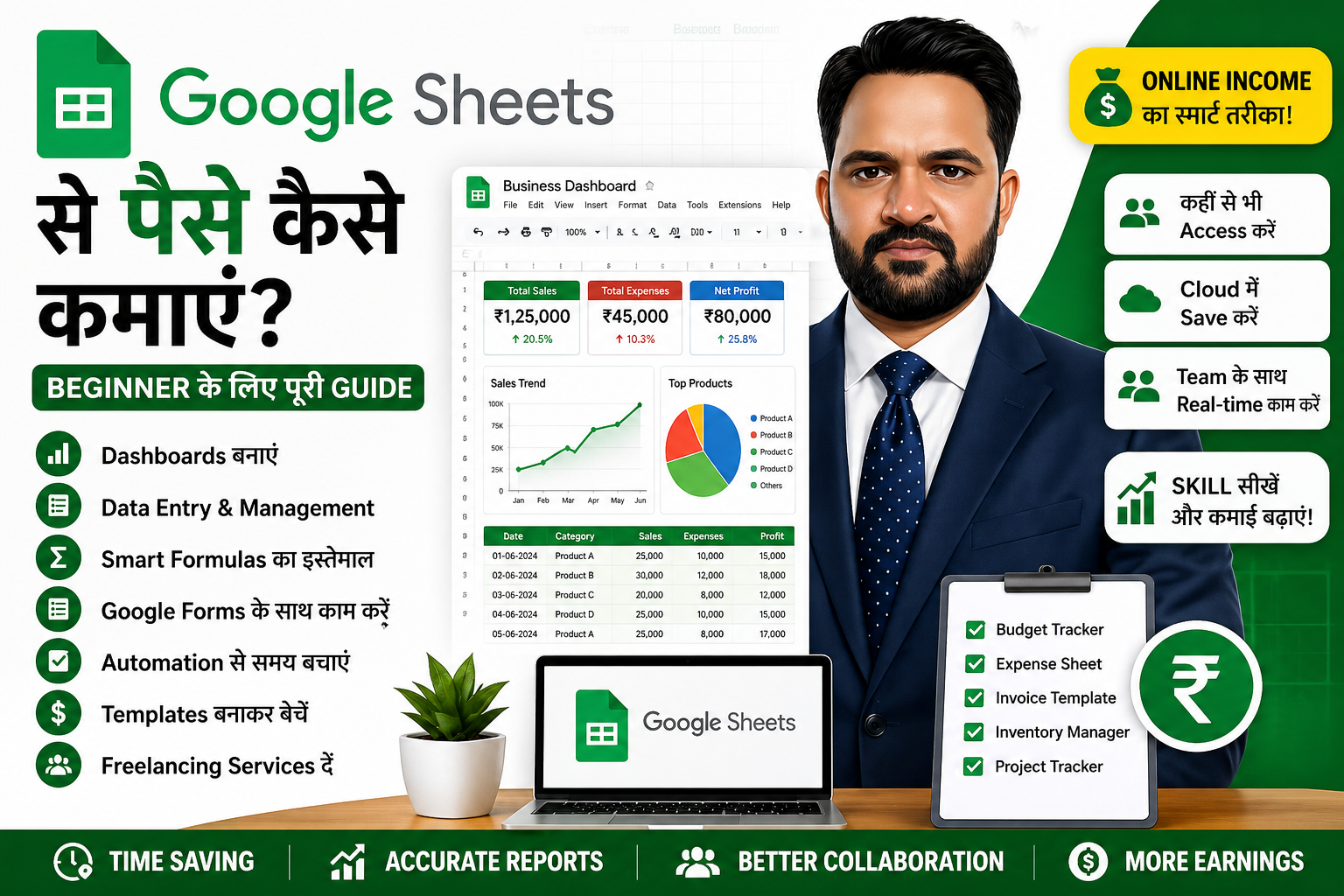
Google Sheets से पैसे कैसे कमाएं: Beginner के लिए पूरी Guide
आज के समय में online earning के लिए digital skills बहुत जरूरी हैं। अगर आपको Excel या spreadsheets में interest है, तो Google Sheets आपके लिए एक बहुत अच्छी skill हो सकती है।
Google Sheets एक free online spreadsheet tool है, जिसे आप data entry, reports, dashboards, automation, business tracking और collaboration के लिए use कर सकते हैं।
सबसे अच्छी बात यह है कि Google Sheets cloud-based है। मतलब client और freelancer दोनों एक ही file पर online काम कर सकते हैं। इसी वजह से Google Sheets services की demand freelancing platforms और small businesses में बढ़ रही है।
इस guide में हम आसान Hindi में समझेंगे कि Google Sheets से पैसे कैसे कमाए जा सकते हैं।
Google Sheets क्या है?
Google Sheets Google का online spreadsheet tool है। यह Excel जैसा ही है, लेकिन यह browser में चलता है और cloud में save होता है।
Google Sheets में आप ये काम कर सकते हैं:
Data entry
Formulas
Reports
Charts
Dashboards
Data cleaning
Team collaboration
Automation
Google Forms connection
Business trackers
Templates
Google Sheets का सबसे बड़ा फायदा यह है कि इसे कहीं से भी access किया जा सकता है। Mobile, laptop या tablet से आप same file open कर सकते हैं।
Google Sheets क्यों popular है?
Google Sheets इसलिए popular है क्योंकि यह simple, free और collaborative है।
इसके फायदे:
Free to use
Cloud-based
Auto-save
Easy sharing
Multiple users एक साथ काम कर सकते हैं
Google Forms से connect हो सकता है
Automation possible है
Small businesses के लिए useful है
Freelancers के लिए easy delivery है
अगर client को Excel file download करके बार-बार भेजना नहीं है, तो Google Sheets बेहतर option बन जाता है।
Google Sheets से पैसे कमाने के तरीके
Google Sheets सीखकर आप कई तरीकों से income शुरू कर सकते हैं।
1. Freelancing Services देकर
आप Fiverr, Upwork या अपनी website पर Google Sheets services दे सकते हैं।
Popular services:
Google Sheets dashboard
Data cleaning
Expense tracker
Sales tracker
Inventory tracker
Attendance tracker
Google Forms to Sheets setup
Automation using formulas
Business reports
Custom templates
Beginner के लिए simple services से शुरुआत करना बेहतर है।
Example services:
I will create Google Sheets expense tracker
I will clean and organize your Google Sheets data
I will create sales dashboard in Google Sheets
I will connect Google Forms with Google Sheets
I will create custom spreadsheet template
2. Google Sheets Templates बेचकर
Google Sheets templates digital products की तरह बेचे जा सकते हैं।
आप एक template बनाकर उसे बार-बार बेच सकते हैं।
Template ideas:
Monthly budget tracker
Expense tracker
Habit tracker
Content calendar
Invoice tracker
Sales dashboard
Inventory tracker
Project tracker
Attendance sheet
Client management sheet
Templates बेचने के लिए platforms:
अपनी website
Gumroad
Etsy
Fiverr
Payhip
Ko-fi
Notion-style marketplaces
Social media
अगर आपकी अपनी website है, तो आप template की delivery payment के बाद automatically या manually कर सकते हैं।
3. Business Dashboards बनाकर
Small business owners को data समझने के लिए dashboards की जरूरत होती है।
Google Sheets dashboards में आप दिखा सकते हैं:
Total sales
Monthly revenue
Expenses
Profit
Top products
Customer data
Sales trends
Inventory status
Team performance
Dashboard service Excel और Google Sheets दोनों में popular है।
4. Automation Services देकर
Google Sheets में automation formulas, Google Forms, Apps Script और integrations से किया जा सकता है।
Automation examples:
Google Form response से automatic report
Attendance auto-summary
Sales data auto-calculation
Invoice auto-generation
Email notification
Monthly report update
Task reminder system
Automation services की value basic spreadsheet work से ज्यादा हो सकती है।
5. Data Cleaning और Formatting
कई clients के पास messy data होता है। वे चाहते हैं कि data clean, organized और professional format में मिले।
आप ये services दे सकते हैं:
Duplicate remove करना
Extra spaces clean करना
Columns organize करना
Date format fix करना
Wrong entries correct करना
Data validation लगाना
Conditional formatting करना
Summary report बनाना
यह beginner-friendly service है और first freelancing order के लिए अच्छी हो सकती है।
6. Google Forms + Sheets Setup
Google Forms और Google Sheets का combination बहुत useful है।
Use cases:
Registration form
Customer feedback form
Order form
Lead collection form
Survey form
Attendance form
Quiz form
Client को form चाहिए होता है और response automatically Google Sheets में save होता है।
आप यह service आसानी से sell कर सकते हैं।
Google Sheets सीखने के लिए जरूरी Skills
Google Sheets से पैसे कमाने के लिए आपको ये skills सीखनी चाहिए:
Basic formatting
Rows and columns
Basic formulas
SUM, AVERAGE, COUNT
IF formula
COUNTIF
SUMIF
VLOOKUP/XLOOKUP
FILTER
SORT
IMPORTRANGE
Data validation
Conditional formatting
Charts
Pivot tables
Google Forms connection
Basic Apps Script
Beginner को पहले formulas, formatting और dashboards पर focus करना चाहिए।
Google Sheets में Useful Formulas
Google Sheets में कुछ formulas बहुत useful होते हैं:
SUM
Total निकालने के लिए।
Example:
=SUM(B2:B20)
IF
Condition के base पर result देने के लिए।
Example:
=IF(B2>5000,"High","Low")
COUNTIF
Specific condition count करने के लिए।
Example:
=COUNTIF(C2:C100,"Paid")
SUMIF
Condition के base पर total करने के लिए।
Example:
=SUMIF(A2:A100,"Sales",B2:B100)
FILTER
Specific data filter करने के लिए।
Example:
=FILTER(A2:D100,C2:C100="Paid")
IMPORTRANGE
एक Google Sheet से दूसरी Sheet में data लाने के लिए।
Example:
=IMPORTRANGE("sheet-url","Sheet1!A1:D100")
Google Sheets Service के लिए Portfolio कैसे बनाएं?
New freelancer के पास client work नहीं होता। इसलिए sample portfolio बनाना जरूरी है।
Portfolio ideas:
Monthly budget tracker
Sales dashboard
Expense tracker
Inventory management sheet
Attendance tracker
Google Forms registration system
Content calendar
Invoice tracker
Project management tracker
हर sample के screenshots लें और portfolio page पर add करें।
आप अपनी Viznova website पर portfolio section बना सकते हैं और अपनी Google Sheets services दिखा सकते हैं।
Fiverr पर Google Sheets Gig कैसे बनाएं?
अगर आप Fiverr पर Google Sheets service बेचना चाहते हैं, तो gig clear और professional होना चाहिए।
Sample gig titles:
I will create custom Google Sheets dashboard
I will automate your Google Sheets with formulas
I will clean and organize your Google Sheets data
I will create Google Forms and Sheets system
I will create budget tracker in Google Sheets
Gig description structure:
Client problem
Your solution
What you will deliver
Why choose you
Package details
Call to action
Example description:
Are you looking for a professional Google Sheets expert to organize your data, create dashboards, or automate your spreadsheet?
I can help you create clean, easy-to-use and professional Google Sheets for your business, personal finance or team workflow.
I can create:
Dashboards
Trackers
Reports
Forms connection
Data cleaning
Formulas
Charts
Automation
Please message me before placing an order so we can discuss your requirement.
Pricing कैसे रखें?
Beginner pricing simple रखें।
Example:
Basic: $5 to $10
Standard: $15 to $30
Premium: $40 to $80
Basic package:
Simple tracker or data cleaning up to limited rows
Standard package:
Formula-based report with charts
Premium package:
Dashboard + automation + multiple sheets
जैसे-जैसे reviews और experience बढ़े, pricing बढ़ा सकते हैं।
Google Sheets से पैसे कमाने के लिए Best Niches
Google Sheets services कई niches में sell की जा सकती हैं।
Best niches:
Personal finance
Small business
E-commerce sellers
Coaching institutes
Freelancers
YouTubers
Content creators
Real estate agents
Fitness coaches
Teachers
Agencies
हर niche को trackers और reports की जरूरत होती है।
Example:
YouTubers को content calendar चाहिए
Small shops को inventory tracker चाहिए
Coaching center को attendance tracker चाहिए
Freelancers को invoice tracker चाहिए
Fitness coach को client progress tracker चाहिए
Google Sheets और AI का Use
AI tools की मदद से Google Sheets work faster हो सकता है।
आप AI से पूछ सकते हैं:
इस task के लिए formula बताओ
Dashboard layout suggest करो
Client के लिए report structure बनाओ
Google Sheets automation idea दो
Data cleaning formula बताओ
Gig description लिखो
Example prompt:
मुझे Google Sheets में expense tracker बनाना है। इसके लिए columns, formulas और dashboard sections suggest करो।
Google Sheets vs Excel
Excel और Google Sheets दोनों powerful हैं, लेकिन use case अलग हो सकता है।
Excel अच्छा है:
Offline work
Advanced analysis
Large files
Power Query
Complex dashboards
Google Sheets अच्छा है:
Online collaboration
Easy sharing
Google Forms integration
Cloud-based reports
Team workflow
Lightweight dashboards
Freelancer के लिए दोनों सीखना best है।
Common Mistakes जो Beginners करते हैं
Google Sheets services शुरू करते समय ये mistakes न करें:
Client requirement clear न करना
Template को overcomplicated बनाना
Formulas test न करना
Design खराब रखना
Mobile view check न करना
Client को instruction न देना
File permission गलत रखना
Backup copy न रखना
Pricing बहुत low या बहुत high रखना
Client Delivery Tips
जब आप Google Sheets file deliver करें, तो client को clear instructions दें।
Delivery message example:
Hi, I have completed your Google Sheets file as requested.
I have added the required formulas, formatting, charts and dashboard sections.
Please check the file. I have also added a short instruction sheet so you can use it easily.
If you need any small changes, feel free to let me know.
Google Sheets Beginner Action Plan
Day 1:
Google Sheets interface सीखें
Day 2:
Basic formulas practice करें
Day 3:
Formatting और conditional formatting सीखें
Day 4:
एक expense tracker बनाएं
Day 5:
Charts और dashboard बनाएं
Day 6:
Google Forms connect करना सीखें
Day 7:
एक portfolio sample बनाएं
Day 8-15:
Fiverr gig या website service page बनाएं
Day 16-30:
Templates बनाकर website या Gumroad पर list करें
Conclusion
Google Sheets एक powerful और beginner-friendly skill है। इससे आप freelancing services, templates, dashboards, automation और business reports बनाकर online income शुरू कर सकते हैं।
अगर आपको Excel आता है, तो Google Sheets सीखना आपके लिए बहुत आसान होगा। दोनों skills मिलकर आपकी freelancing और digital product earning potential को बढ़ा सकती हैं।
Beginner के लिए सबसे अच्छा तरीका है:
एक simple service चुनें
Sample portfolio बनाएं
Fiverr या website पर service list करें
Client communication professional रखें
Quality delivery दें
अगर आप Excel, Google Sheets, AI और freelancing skills सीखना चाहते हैं, तो Viznova पर practical guides, templates और live sessions के साथ step-by-step सीख सकते हैं।
Your Comments & Ratings
No comments yet. Be the first to share your thoughts.